WordPress Order Form Plugin for Service Businesses: A Complete Guide
Service businesses, agencies, and freelancers often sell fixed-price packages rather than physical products. They need a straightforward way for customers to choose a package, provide project details, place an order, and complete payment without navigating a full online store.
A WordPress order form plugin for service businesses can simplify this process by combining order forms, package selection, payment processing, order management, and customer communication in one workflow.
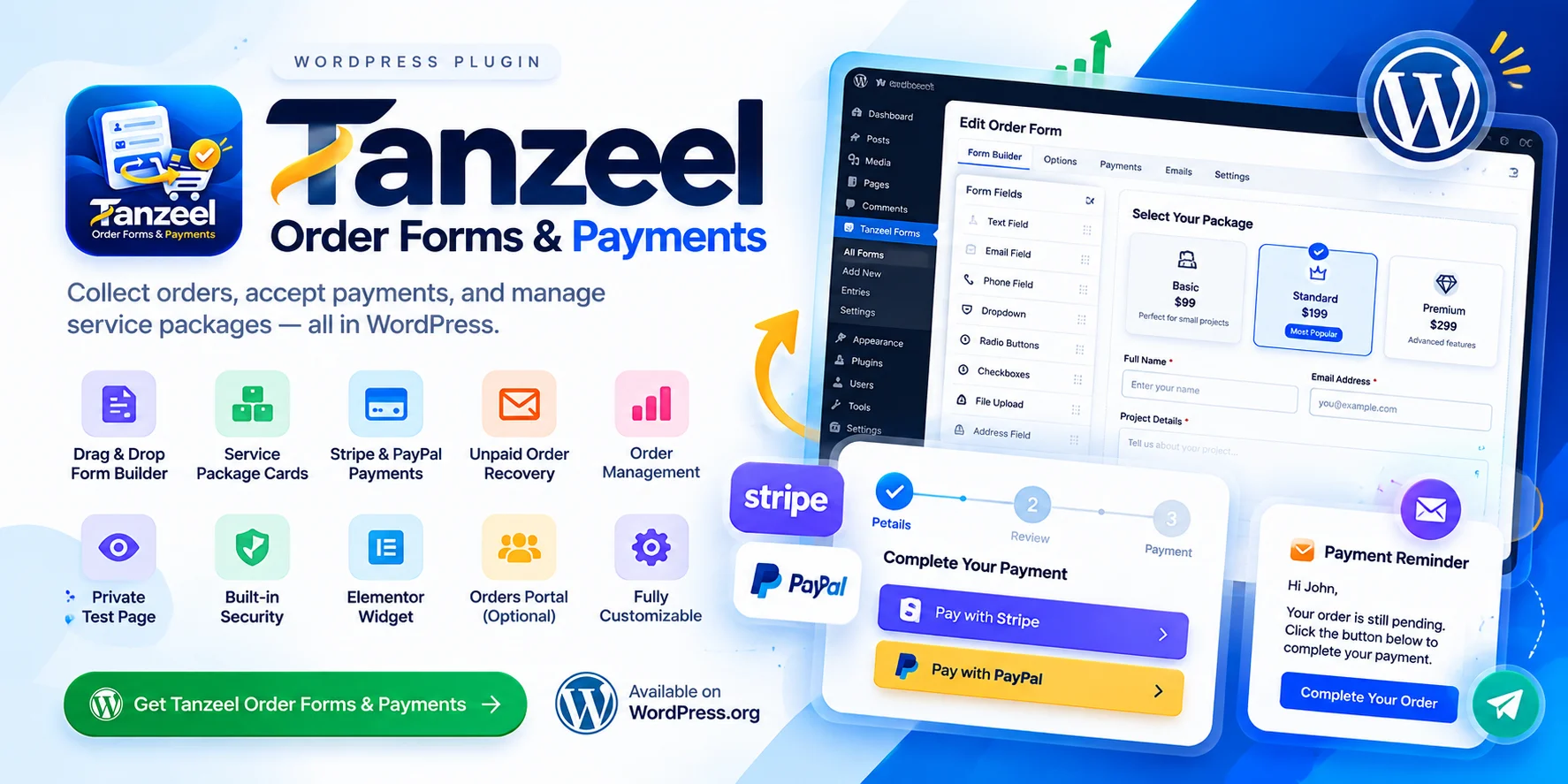
Tanzeel Order Forms & Payments is designed specifically for this purpose. It helps service providers collect orders and payments while providing tools to manage pending orders, send payment reminders, customize forms, and organize order records directly through WordPress.
What Is Tanzeel Order Forms & Payments?
Tanzeel Order Forms & Payments is a WordPress plugin built for businesses that sell services and packages instead of managing a traditional product catalog. It covers the process between a customer choosing a service and the business receiving payment.
Rather than functioning as a general-purpose contact form builder or a complete online shop, the plugin focuses on order collection, package selection, online payments, order tracking, and unpaid order recovery.
It is suitable for freelancers offering service packages, agencies selling fixed-price projects, consultants collecting service payments, and businesses that need customers to submit detailed order information before checkout.
You can explore the plugin on the official WordPress plugin page.
Key Features of Tanzeel Order Forms & Payments
1. Drag-and-Drop WordPress Order Form Builder
The plugin includes a drag-and-drop form builder that allows you to create order forms around your business requirements. You can add fields, arrange their layout, and configure how customers provide information before proceeding to payment.
It supports 17 field types:
- Text, email, phone, URL, and number
- Date and paragraph text
- Dropdown, radio buttons, and checkboxes
- File upload and image upload
- Full address block
- Hidden field
- Heading, paragraph, and notes
You can also copy fields from one form and paste them into another, which helps when creating multiple forms that share similar requirements.
2. Service Package Cards and Preselected Options
Businesses often offer multiple service levels, such as Basic, Standard, and Premium packages. The plugin can display priced options as selectable package cards, making it easier for customers to understand their available choices.
You can also create direct links that preselect a particular package. For example, adding ?package=gold to a compatible form URL opens the form with the Gold package selected.
This is useful when linking from service pages, pricing tables, promotional campaigns, or individual package descriptions. Customers can arrive at the order form with their preferred option already selected.
For businesses that charge one fixed price, the plugin also supports a fixed price per form.
3. Stripe and PayPal Payment Integration
Tanzeel Order Forms & Payments supports Stripe Checkout and PayPal Checkout, giving customers options to complete payment through the supported gateways.
With Stripe, customers are redirected to Stripe's hosted checkout page. PayPal supports its checkout button and debit or credit card payment options.
The checkout follows a two-step process. Customers first provide their order details, then review an order summary and proceed to payment.
Prices are calculated on the server using the saved form configuration rather than trusting prices submitted by the browser. Payment confirmation is checked with the relevant gateway before an order is marked as paid. Stripe webhook verification is also supported when a webhook signing secret is configured.
To use either payment service, configure its API credentials in the plugin settings and enable it for the relevant form.
4. Built-In Unpaid Order Recovery
One of the plugin's most distinctive features is its built-in unpaid order recovery workflow.
When a customer clicks “Proceed to Checkout,” the plugin saves the order with a Pending status and assigns its Order ID. If payment is not completed within the delay configured by the site administrator, the plugin sends one reminder email to the customer and one notification email to the administrator.
The customer's email contains a signed link that reopens their existing order at the payment step. The customer's previously entered fields and selected package are restored, so they do not need to fill out the form again.
The original Order ID remains unchanged during this process.
This workflow gives customers a convenient way to return to checkout and gives businesses a structured method for following up on incomplete payments without manually recreating orders.
5. Duplicate Order Prevention
Repeated checkout clicks, retries, and slow connections can sometimes cause confusion when customers attempt to submit an order more than once.
The plugin is designed to update the same pending order during these repeated attempts rather than creating duplicate orders for the same checkout flow. A server-side signed key connects the visitor to the relevant order.
Keeping the existing order record and Order ID helps maintain continuity across checkout attempts and unpaid order recovery.
6. Custom Sequential Order IDs
The plugin supports sequential Order IDs for each form, with a custom format and configurable starting number.
For example, a business could use a format such as Order [ID2326], depending on its chosen configuration.
Order IDs appear in relevant emails, exports, and payment descriptions sent to Stripe and PayPal. This makes it easier to identify orders when reviewing payment records, responding to customers, or managing internal workflows.
7. Order Management, Search, and CSV Export
The Entries screen provides a central place to review and manage submitted orders. It includes search, filters, charts, and CSV export to help businesses organize their records and review order activity.
Administrators can use these tools to find specific entries, review pending orders, and export information for reporting or further analysis.
The plugin also supports an optional front-end orders portal. When enabled, a team member can access a dashboard, order list, order details, email-resending controls, and CSV export without needing a WordPress account.
The portal is disabled by default and can be configured through the plugin settings.
8. Branded and Customizable Email Templates
Customer communication is an important part of an order workflow. The plugin provides branded HTML email templates for both administrators and customers.
You can edit these templates through the template editor, preview changes, and send test emails before using them in your live workflow.
Supported placeholders include {orderid}, {customername}, {amount}, {fieldstable}, and {paymentsummary}. These allow order-specific information to appear in relevant messages.
Combined with unpaid order reminders, the email features help keep order details and payment follow-ups organized.
9. Private Preview Pages and Payment Testing
Before publishing a form, you can preview it on a private, unindexed test page. This allows you to review the fields, package options, and checkout experience before making the form available to customers.
The plugin also supports separate PayPal sandbox credentials for the preview page. When the required sandbox keys are configured, test orders on that page use the sandbox environment, while the live form continues to use its live credentials.
This separation helps businesses test their payment flow without sending preview transactions through the live PayPal environment.
10. Elementor Widget and Shortcode Support
The plugin includes a dedicated Tanzeel Order Form Elementor widget with styling controls for the form container, labels, fields, buttons, total box, and error messages.
For other WordPress page builders or layouts, you can embed a form using the plugin's shortcode:
[tanzeelorderform id="1"]
Replace 1 with the ID of the form you want to display.
This gives you flexibility to place order forms on service pages, pricing pages, landing pages, or other compatible areas of your website.
11. Security and File Upload Controls
Order forms may collect personal information and customer-provided files, so security and validation matter.
The plugin includes nonces and capability checks for administrative actions, rate limiting and a honeypot to help prevent spam submissions, and prepared SQL statements for database queries.
File uploads are restricted by permitted file types and sizes, and uploaded files are stored with unguessable file names.
These safeguards support safer form and order handling, although website security also depends on the site's hosting, configuration, access controls, and maintenance.
Who Should Use This WordPress Order Form Plugin?
Tanzeel Order Forms & Payments is intended for businesses that sell services or predefined packages and want a structured way to collect order information and payment.
Freelancers can use package cards and custom fields to collect project requirements before payment.
Digital agencies can create separate order forms for different services and use sequential Order IDs to organize incoming orders.
Consultants and service providers can collect customer details, offer fixed-price services, and provide supported online payment options.
WordPress developers can embed forms through Elementor or shortcodes and customize their presentation to fit the surrounding page.
The plugin is not intended to replace a complete eCommerce store when a business needs a product catalog, shopping cart, inventory management, or shipping workflows.
How to Get Started
To begin, install Tanzeel Order Forms & Payments from its official WordPress plugin page.
Create a form and add the fields needed to collect customer and project information. Configure the available service packages or fixed price, then enable Stripe, PayPal, or both by adding the required credentials.
Customize the order ID format and email templates, and configure the unpaid order reminder delay if you want to use the recovery workflow.
Preview the form on its private test page and test the order process before publishing it. Once the form is ready, embed it using the Elementor widget or shortcode and place it where customers can easily select a service and proceed to checkout.
Frequently Asked Questions
Is Tanzeel Order Forms & Payments a general contact form plugin?
No. It is designed specifically for service businesses, agencies, and freelancers that need to collect orders and payments for service packages rather than simply collect general enquiries.
Does the plugin support Stripe and PayPal?
Yes. It supports Stripe Checkout and PayPal Checkout. You need to configure the relevant API credentials and enable the payment method on the form.
Can customers resume an unpaid order?
Yes. If an order remains pending beyond the configured delay, the plugin can send a reminder containing a signed link that reopens the customer's existing order at the payment step, with their previously entered information restored.
Can I create multiple service packages?
Yes. You can display priced options as selectable package cards and use links with a package parameter to preselect an option.
Can I test the form before publishing it?
Yes. Each form has a private, unindexed preview page. Separate PayPal sandbox credentials can be used for testing on that page.
Can I display an order form in Elementor?
Yes. Use the Tanzeel Order Form Elementor widget and its styling controls, or embed the form elsewhere using the shortcode [tanzeelorderform id="1"], replacing the ID as needed.
Can a team member manage orders without a WordPress account?
The optional front-end orders portal allows a team member to review orders, open order details, resend emails, and export CSV data without a WordPress account. The portal is disabled by default and must be configured before use.
Conclusion
A service-based business needs more than a form that collects contact details. It needs a workflow that connects package selection, order information, payment processing, order tracking, and customer follow-up.
Tanzeel Order Forms & Payments brings these functions together for WordPress websites that sell service packages rather than operate traditional online shops. Its drag-and-drop builder, Stripe and PayPal support, custom Order IDs, Elementor integration, private testing pages, and built-in unpaid order recovery make it a purpose-built option for this workflow.
If you need a WordPress order form plugin for service businesses, review the available features and see whether the plugin fits your order and payment process.
Explore Tanzeel Order Forms & Payments: https://wordpress.org/plugins/tanzeel-order-forms-payments/